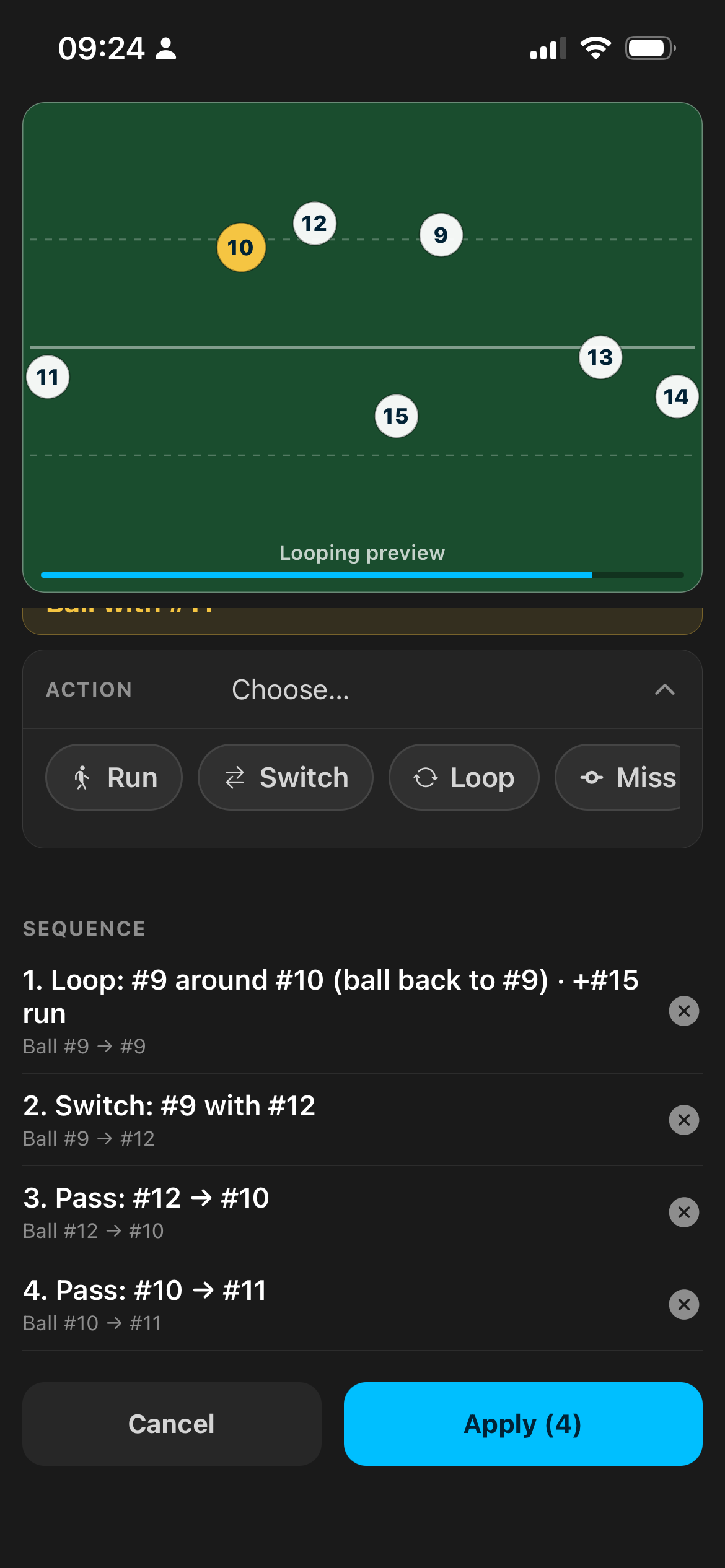
Move Builder Steps
The idea
Why Move Builder exists
Manual waypoints are powerful — and slow when you just need a classic Switch or Miss off 10.
Move Builder speaks how coaches talk: Run · Switch · Loop · Pass · Miss · Crash. You choose the ball carrier's next action and the partner; the app writes the motion and possession so you can press play.
This is the difference between “I'll sketch it later” and “we'll run that on Thursday.”
How it works
Open Move Builder
Open a move → Edit → tap the phase title (e.g. Positions) → Move Builder.
Live preview loops on the pitch while you build. Timing runs at a steady player speed so the animation feels like rugby, not a sprint demo.
The stepped flow
Ball with #X
We already know who's carrying.
Action
Run · Switch · Loop · Pass · Miss · Crash
With
Tap the partner. On Miss: who you're missing, then Pass to. On Run: who runs.
Also run (optional)
e.g. #15 runs while 9 loops 10 — decoys without rebuilding from scratch.
Save step
Stack the next phase with THEN.
Apply
Paths and possession written onto the pitch — ready to play, Focus, and share.
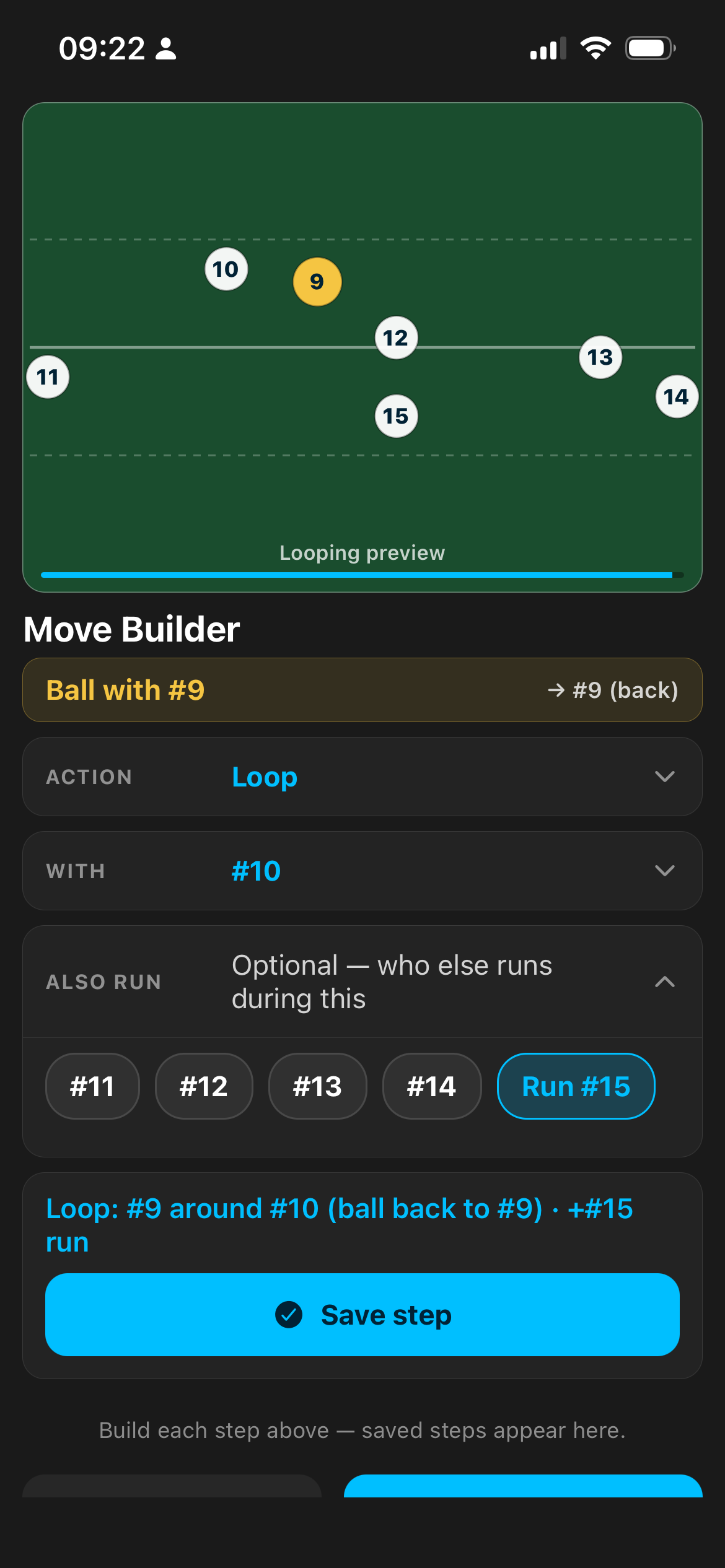
Live preview while building
30-second backs example
Standard backs → Move Builder → Pass 9→10, THEN Switch 10 with 12, THEN Miss to 13 → Apply · Save · play.
Add Manual motion for one weird decoy if you need it. Drop Manual defence when you want to show where the gap opens.
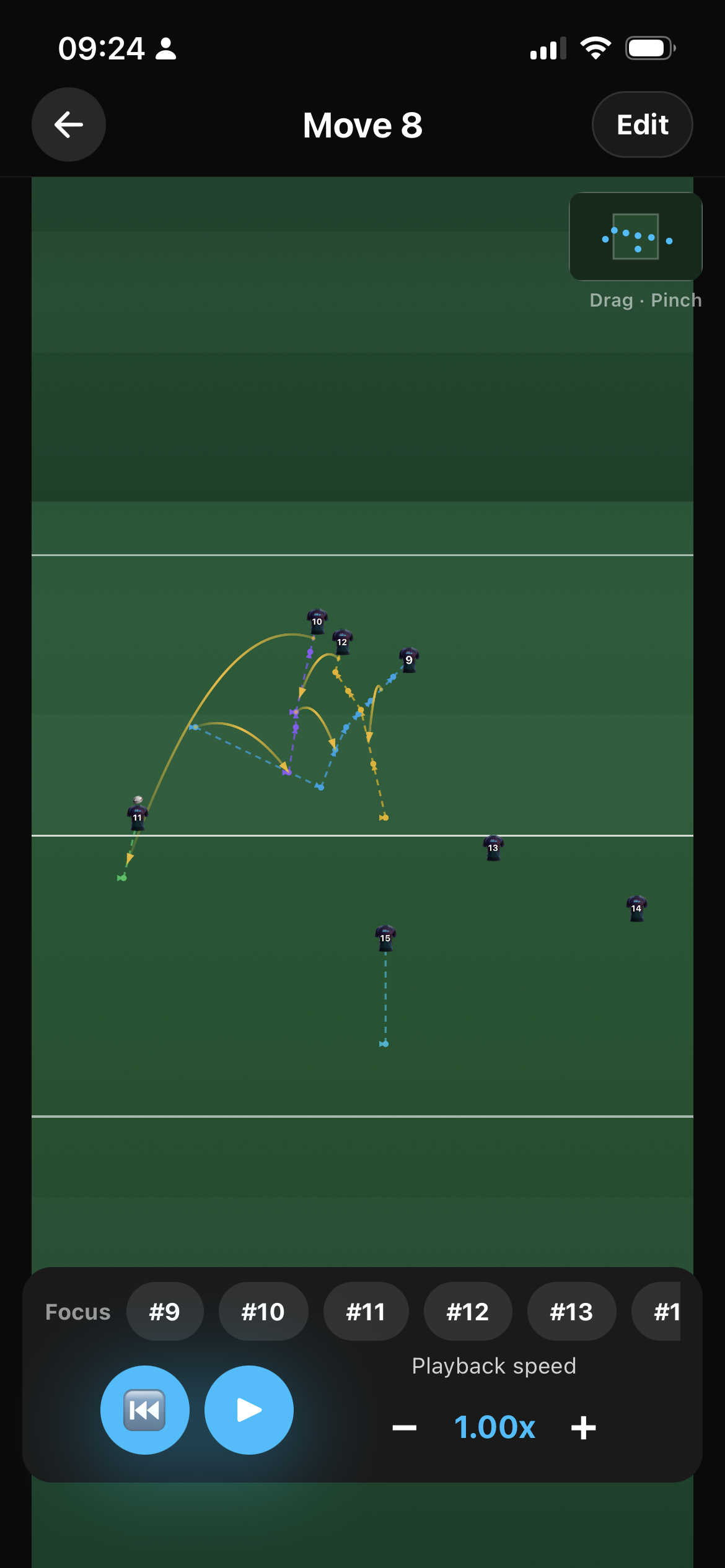
Apply → paths on pitch
Around it
What else you get in Moves
- Start from backs, Lineout 5 or 7, touch, or a blank pitch.
- A big pitch you can pinch-zoom and drag around.
- On playback, Focus a jersey so a player only sees their path.
- Keep a move private, share it with the club, or list it in the community.
Questions
FAQ
Do I have to use Move Builder?
No. Manual motion is still there for freehand paths. Move Builder is for the classic shapes you want done fast.
Is Move Builder AI?
No — it's a guided rugby action picker, not natural-language chat.
Can I mix builder steps and manual?
Yes. Apply builder paths, then tweak with Manual motion or Ball timeline as needed.